D&D Encounters Dark Legacy of Evard – Week 1

I’ve volunteered to run D&D Encounters for the Dark Legacy of Evard season that began today. I’ve only played one session of Encounters before, but the store owner, Jeff, was trying to recruit enough DMs so that we could run four tables per night and still be able to have DMs alternate weeks (so, eight DMs total). One encounter a week shouldn’t be too hard to prepare, so I gave it a go.

Setup

I got the adventure last Friday and gave the first chapter a read-through. The Encounters adventure comes with poster maps and tokens, but if you’ve been following my blog, you know that I love to run games using my projector setup and MapTool. So, I began creating maps in MapTool and programming up the monsters.

Players

For tonight’s session, we had six players, which meant that we were only going to run one table. I was the first DM there, so I was fortunate to be able to run my game. Four of the players were Encounters veterans, but two were not.

The first of these newcomers was my wife, Barbara! We’ve played D&D together many times over the past year and a half that I’ve been involved with the game, but this is the first time she’s participated in public play. Huzzah!

The second newcomer was David, a complete newcomer to D&D4e. He had played a little bit of D&D 3.0 years ago, but he was really coming to the game fresh. Excellent!

The story – SPOILERS AHEAD

Tonight’s session started off with the party introducing themselves to one another. They were on a weeks-long journey to take some messages from the leader of Fallcrest to far-off Sarthel. Some of the players decided that they were actual couriers while others were either guards or hangers-on. One was a Revenant who, it was decided, had been found by the party near the side of the road a few days prior with no memory of his previous life.

It was a quiet evening in the Old Owl Inn in the town of Duponde, and the adventurers were resting and waiting a few days for the bridges over the Nentir River to be repaired so that they could continue on toward Sarthel. They spent some time chatting with other travelers and locals about the spooky weather and hearing rumors about the ghost of the shadow wizard Evard whose grave is in Duponde. The innkeeper and a visiting scholar told them some of the tales, and the group eventually went to bed.

In the middle of the night, everyone woke up to a strange feeling of being pulled in odd directions, the temperature dropped, and lights began functioning poorly. A scream came from downstairs in the common room. The adventurers geared up and went down to investigate

The battle

They arrived to find the old bartender knocked out behind the bar while a quartet of gargoyles, animated incarnations of the statues that adorned the front of the inn, flew around the room wreaking havoc. Battle ensued.

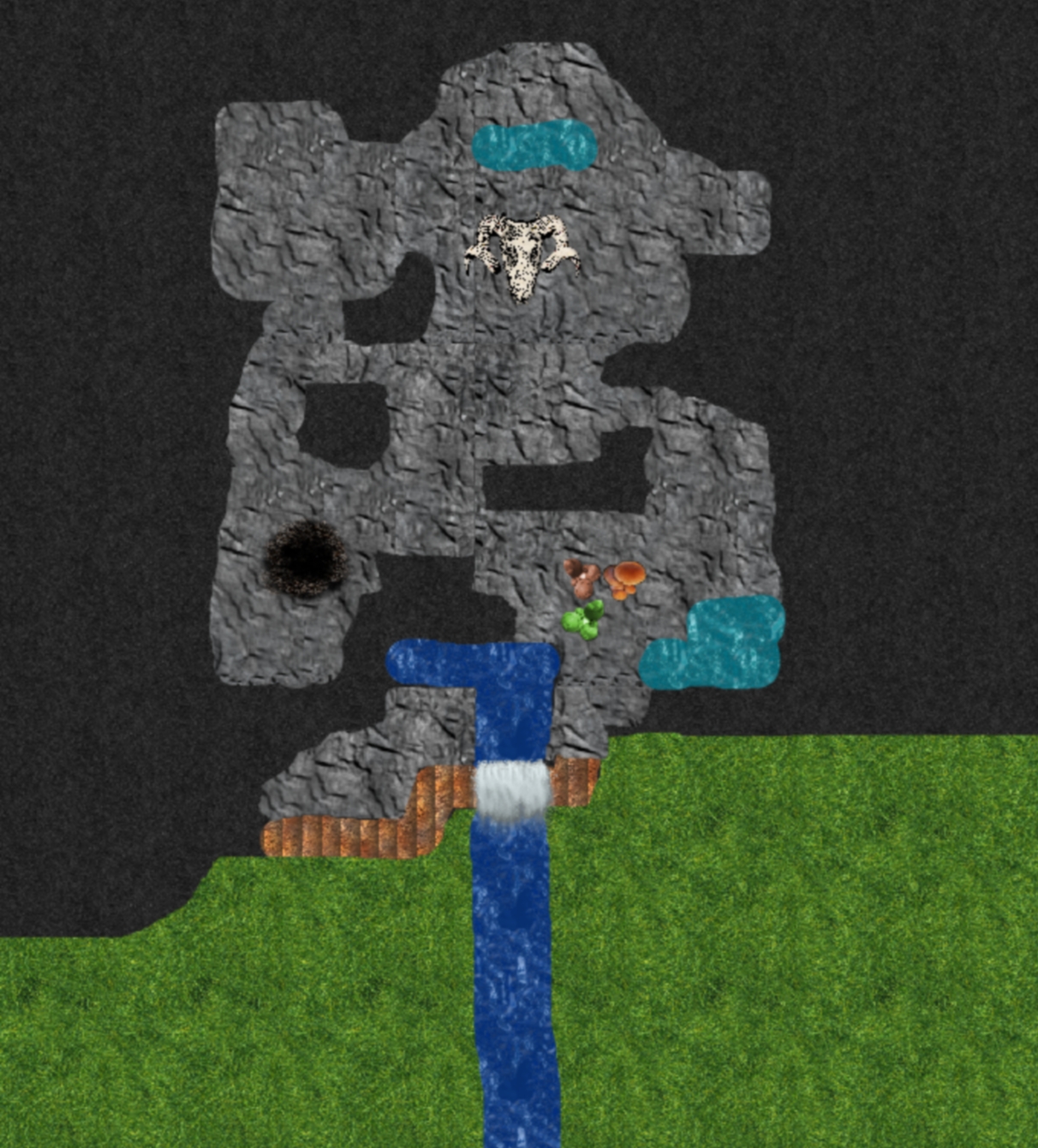
The encounter map (no grid)

The Shade Executioner in the group snuck up behind one of the statues and grabbed it with his garrotte, nearly killing it outright. Our Half-Orc Knight waded into combat to challenge a pair of monsters. The Revenant Hexblade found himself on the wrong end of a gargoyle attack and was knocked to the ground and dazed – and bloodied. He fought back from the ground with his single action on his turn. Our Drow Hunter finished off the gargoyle that had been garrotted.

At the end of the round, a pair of shadow creatures emerged from the darkness and attacked. One of them melded into the shadow of the Knight, dealing him some necrotic damage, while the other melded with the prone Revenant, taking his hit points into negative territory, but not dropping him to unconsciousness yet (Revenants get to keep fighting until they fail a death saving throw).

These shadow creatures turned out to be pretty tough – hard to hit when they were melded with characters, and insubstantial unless hit with radiant damage (which no one in the party could deal). The gargoyles started dropping, but one of them ignored the Knight’s mark to go after the prone Revenant (who, remember, was at negative hit points, but still fighting) – and killed him outright. Negative bloodied value, dead-dead. (This is only the second time I’ve killed a PC as a dungeon master.)

Truly scared now, the remaining five party members did what they could to finish the fight quickly. Our Drow Hunter provoked an opportunity attack from a shadow (a hit – the first against him – bloodied the Hunter) and succeeded in dazing the monster. That shadow was soon finished off, but its partner came after the Drow and knocked him unconscious. The Knight had been brought back from unconsciousness by the Half-Elf Sentinel already, and then fell yet again to the shadows before the Sentinel eventually stabilized him.

Ultimately, our Shade Binder dealt the killing blow to the last shadow monster, and the survivors could catch their breath.

Thoughts

This was a brutal encounter. We lost one PC, although had it been anything other than a Revenant who kept fighting while at negative hit points, we might not have actually lost anyone. Two other PCs ended the fight unconscious, and one was bloodied. The Shade Binder somehow escaped the fight unscathed (my wife’s character, but I swear I didn’t go easy on her – she just stayed out of the way). The Drow Hunter (David, the first-time player) spent four healing surges at the end of the fight and now has a grand total of two remaining for the next three encounters. The Knight took a total of over 60 damage during the fight (hey, achievement!). Brutal, brutal, brutal.

In talking to the players who had played D&D Encounters before, it sounded like the only similarly tough first session was Dark Sun (which I had read about, and I understand that Dark Sun was supposed to be vicious). This felt like a pretty random battle, but man, was it tough. I guess the Shadowfell is meant to be an unhospitable place.

All that said, I think that this party’s particular makeup was not well suited to this encounter. We had multiple controllers, but there were no minions. We had only one defender, and he took a ton of punishment. We had only one leader, and extra healing would have been really helpful (rest in peace, Revenant). And of course, we had no divine characters, so no one could deal radiant damage. A cleric would have rocked against those shadow creatures, but the party had to slog it out the hard way, dealing with the insubstantiality of the shadows.

Wrap-up

All that said, the players legitimately seemed to have a good time, and the newcomer said that he plans to come back next week, bringing a friend. I had fun running the encounter, and I’m looking forward to the next one. I already have set up the first three encounters in MapTool, and I hope to get all 13 in there over the next few weeks. The adventure looks like a lot of fun, and I could definitely see running it again for a home campaign.

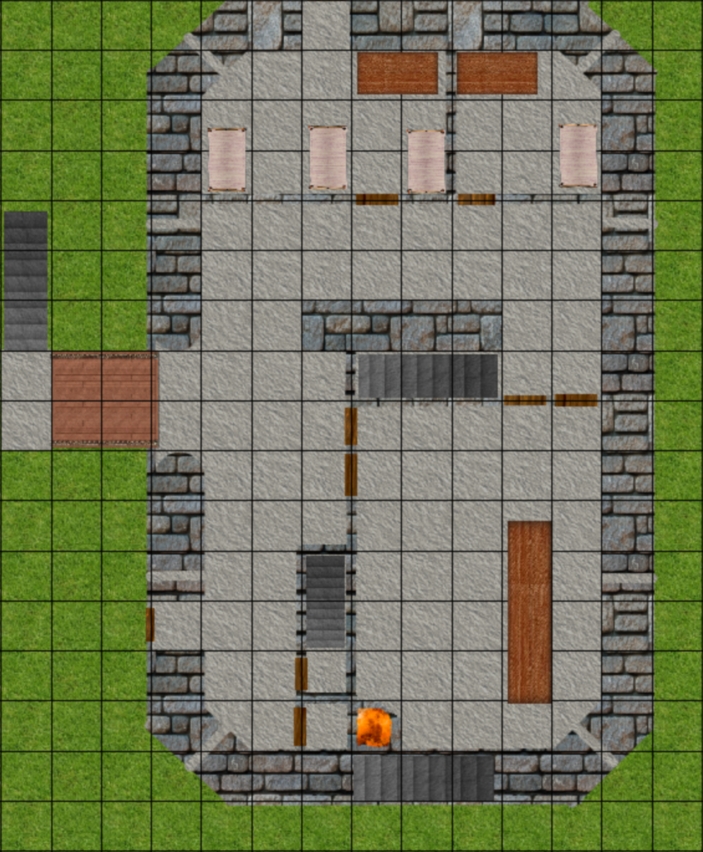
The encounter map, with a grid

Minion critical hits

Somehow, I keep coming back to minions as a blog topic. I first talked about my love for two-hit minions, then later embraced the idea of using hordes of one-hit minions.

Today’s topic is a simple one: What happens when a minion scores a critical hit?

A normal monster gets to deal maximum damage on a critical hit (and you’ll occasionally see one that gets extra damage on top of that). Most minions, however, deal static damage (if they hit, they deal a flat 5 damage or something like that). What happens when they score a crit?

Well, technically speaking nothing happens when a minion scores a crit. They deal their regular old damage. But I feel like a critical hit (a natural 20 on the attack die for those who are confused by the terminology) is something special and should be more interesting (and deadly) than a normal hit.

For a while, my answer was for minions to deal double damage on a critical hit. If they normally hit for 5, a crit deals 10 damage, and so on. That works just fine, frankly, and makes minions a little more scary. I recommend doing something like this.

However, I’ve just started experimenting with a slightly different approach, thanks to the way I program my monsters in MapTool. My typical monster attack macro is as follows:

[h: AttackName="SingleTarget"]
[h: AttackBonus=0]
[h: Defense="AC"]
[h: NumDice=1]
[h: DamageDie=6]
[h: DamageBonus=0]
[h: DamageString="damage."]

[h: Enh=0]
[h: CritDamageDie=0]

[h: DamageRoll=roll(NumDice,DamageDie)]
[h: d20roll=d20]
[h, if(CritDamageDie > 0), CODE: 
 { [CritBonus=roll(Enh,CritDamageDie)]  }; 
 { [CritBonus=0] }
]

[h: AttackRoll=d20roll+AttackBonus]
[h: MaxDamage=NumDice*DamageDie+DamageBonus+CritBonus]
[h: RegularDamage=DamageRoll+DamageBonus]

<b>[AttackName]</b><br>
Attack: [d20roll] + [AttackBonus] = <b>[AttackRoll]</b> versus [Defense]<br>
[if(d20roll==20), CODE:
  {<font color=Red>--CRITICAL HIT--</font><br>
    Hit: [NumDice*DamageDie] + [DamageBonus] + [CritBonus] = <b>[MaxDamage]</b> [DamageString]
  };
  {Hit: [DamageRoll] + [DamageBonus] = <b>[RegularDamage]</b> [DamageString]}
]

For most monster attacks, I only edit the first seven lines (the attack name, attack bonus, defense it attacks, damage die, number of damage dice to roll, the damage bonus, and the accompanying text for a hit). For minions, I would usually edit this heavily to remove all of the business about damage dice and damage bonuses and just type the numbers into the bottom of my macro in the Hit line.

Then I realized I could save myself some trouble with minion attacks by setting the number of damage dice to zero and the damage bonus to the static damage. If you roll zero d6 and add 5, you always get 5 damage. Much easier!

The problem: Now I had no way to deal extra damage on a critical hit. However, my damage macro does allow for bonus damage on a crit – set Enh (equivalent to the enhancement on a magic weapon) to however many bonus crit dice the monster gets and set the CritDamageDie appropriately. Here, I stumbled across my new minion crit rule by setting Enh to 1 and CritDamageDie to the amount of static damage that the monster normally deals.

My new minion crit rule is that, if a normal hit deals X damage, a critical hit deals X + 1dX damage. So, a minion that normally deals 5 damage will deal 5 + 1d5 damage on a hit (somewhere between 6 and 10 total damage). Naturally, we don’t have 5 or 7 sided dice in the real world, but MapTool has no problem with this.

What do you think? Is it worth it to make minions deal extra damage on a critical hit? Is doubling their static damage on a crit too vicious? What about this new approach I’m toying with?

Reavers of Harkenwold Maps

Edit: This post was updated on 5/14/2011 to change the maps to a 50 pixel per inch scale and to provide gridless versions of the maps (which, frankly, are the better choice for dragging into MapTool or Fantasy Grounds or whatever you use). Also, if you want the full MapTool file for this adventure, go here.

I ran the Reavers of Harkenwold adventure from the Dungeon Master’s Kit using MapTool over the past few months and had a great time with it. In the process, I needed to create MapTool versions of these maps, and I thought that others who are running the adventure using online tools might be able to make use of them. Enjoy!

Each map can be clicked for a larger version, and the printable PDF links for each map will bring you to a version that is formatted in printable one-inch square scale

Main overland map (printable PDF)

Road with wagon (printable PDF)

Toadwallow Caverns (printable PDF)


Ring of Stones (printable PDF)

Underground Lab (printable PDF)


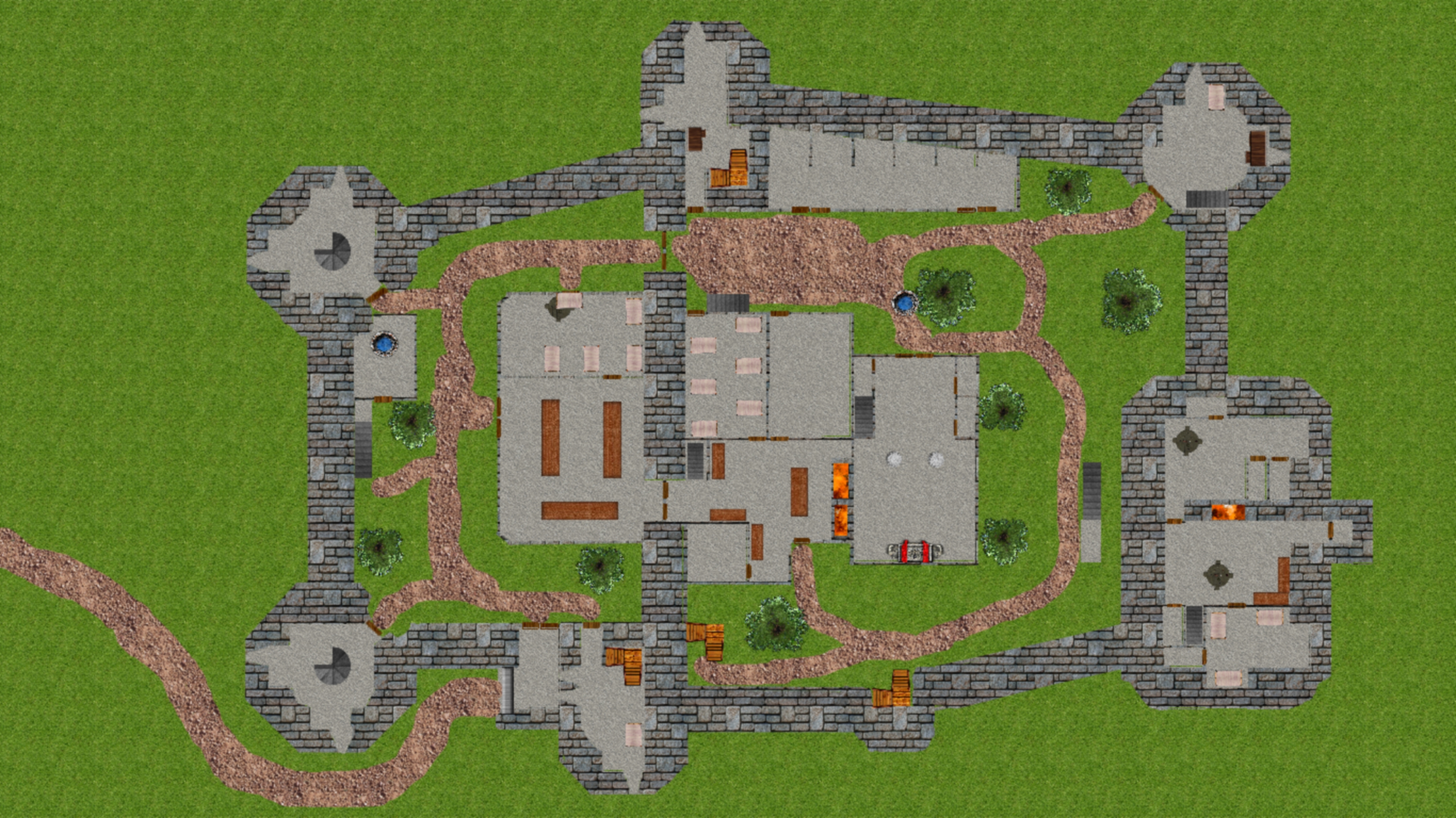
Iron Keep main level (printable PDF)


Iron Keep second and third floors (printable PDF)

Third Floor

Review: Reavers of Harkenwold

Last week, I finished running my family campaign (my wife, her brother, and his wife) through the adventure from the Dungeon Master’s Kit, Reavers of Harkenwold.

I should start with a big, public “thank you” to Jeff, the owner of my friendly local game store, Enchanted Grounds, for loaning me the adventure from the store copy of the DM Kit, gratis. I had no need for the DM Kit book (I already have the Dungeon Master Guides 1 and 2) nor the tokens (I use my MapTool / projector setup for gaming), so I just couldn’t justify spending the money on the entire DM Kit just for the adventure. Jeff loaned it to me on the spot. Great guy, great store!

The Reavers of Harkenwold adventure is, in a word, excellent. It is presented in two separate magazine-type books. The first begins with a thorough overview of the plot of the adventure in both a super-brief format (here are the three or four major points of the plot) as well as a longer format for book 1 that goes over the flow of that section. It continues with some possible adventure hooks, detailed descriptions of the locations the PCs might visit in the adventure (complete with names of shops in towns and so on), and then descriptions of the non-player characters that the party might meet (including their motivations and role-playing tips for the most important NPCs). It then moves into the various encounters that the PCs may meet. Book 2 starts with the plot overview for that book, and then the encounters.

SPOILERS AHEAD. If you plan to play this adventure as a PC and you want to be surprised, I suggest you stop reading now.

The plot is straightforward, in a good way: Free a region of innocents from an evil outside army that has taken over. The players need to gather allies, fight in a large military battle, then infiltrate a keep. Book 1 contains the background material and the allies-gathering, while book 2 has the big battle and the keep.

I ran the game using MapTool online for a party of three PCs. My players were a level above the recommended range for the adventure, so I mostly left the numbers alone (higher-level PCs, but fewer of them than recommended), and it worked out okay. The only encounter that was TOO brutal, in my opinion, was Encounter D4: Yisarn’s Lair from the end of the first book. I removed the traps and one of the monsters from that battle and it was STILL too hard (the players retreated and came back the next day with an elf ally).

There is plenty of information in Reavers of Harkenwold for a party that loves role-playing to really get into the world and its people and their problems. However, that is not the kind of group that I have. My PCs prefer to get into fights and kill bad guys, and this adventure worked just fine for them, too. The order that they ran into the encounters was:

  • E1: Ilyana’s Plight
  • A little role-playing with Reithann, leading to Tor’s Hold
  • T1-T2-T3: The bullywug caverns
  • A little role-playing at Tor’s Hold, then on to the D1 to meet the Woodsinger Elves
  • D2-D3-D4: Liberating the underground lair for the elves
  • D4 again: The party retreated the first time and got a Woodsinger Elf to help them the second time (I made up a simple companion character)
  • E4: Hunted! on the way to Albridge
  • A little role-playing, leading into B1: Battle Plans
  • B2-B3-B4: The Battle of Albridge (Nazin fled when his minions dropped, and just barely got away, even with his action point)
  • Some role-playing to visit Old Kellar in Harken to learn about the Keep, then back to Albridge to talk to Dar Gremath about plans, then back to Harken for the infiltration
  • K1: Infiltrating the Keep. The PCs decided to pretend that one of the PCs was the sister of a Harkenwolder who had joined the Iron Circle and died in the Battle of Albridge, and she had been sent to collect his personal effects from his barracks. I ran this as the “Iron  Circle Poseurs” version of the challenge, more or less, and they succeeded (barely).
  • The party was escorted to the barracks in room 6, where they killed their escorts, went into the empty banquet hall (room 5) and then into the kitchen (room 15) where the servants tried to help.
  • K5: The Great Tower entrance
  • K7: Lord’s Chambers
  • K6: Gaol (after Nazin had already been defeated; the PCs produced Nazin’s head and I had the Mage therefore flee

So, I never ran E2, E3, K2, K3 or K4, and that was absolutely fine. It was refreshing to me that the adventure had more encounters than were required – it made me feel okay about not using all of them.

My players had a good time with the adventure, although they’re rather easy to please – let them kick some butt, and they’re happy. I think a party that likes more plot and role-playing and opportunities for creativity could also get a lot out of this adventure. The back story and information about all of the people and places is really well presented, and I think DMs can find a lot to make use of.

MapTool – updated and new macros

I’ve spent a little time bringing the macros on my web site up to date with the latest versions that I’m using in my own games. You can see all of my macro code here.

A few changes of note:

  • Healing macro for PCs now handles healing surges and non-surge healing in one macro
  • Properties have been updated so that daily power tracking works properly (fun fact; having a property called D4 instead of Daily4 creates problems in a program that recognizes D4 as a four-sided die)
  • Added code to allow for encounter, X-times-per-encounter (such as Healing Word) and daily power tracking
  • Added macros for toggling states such as Dazed, Marked, etc.
  • Added short rest, extended rest, death saving throw and second wind macros
  • Revamped monster properties so that the items that need to be set manually are all grouped together (this makes for faster monster token creation)

I also realized that my list of macros on that page was getting insanely long, so I created an index at the top of the page that will let you jump directly to whatever macro you’re looking for. For convenience’s sake, I’ve reproduced that list below.

If there are any MapTool macros that you’re looking for but that you don’t see here, please let me know – I’m always looking for excuses to write new macros!

Links to individual macros:

Auras in MapTool

When using MapTool to run Dungeons and Dragons 4th Edition games, it’s useful to be able to show the players that a monster has an aura and which squares are and are not in that aura. Yes, MapTool can handle that!

The trick is to use lighting. I’ll admit that I don’t take advantage of the powerful lighting and vision blocking layer capabilities of MapTool; I just reveal the map as the party moves through an area by removing the fog of war manually. However, I don’t completely ignore lighting any more, now that I’ve discovered its uses in creating visible, color-coded auras for monsters (or PCs, but that’s rarer in my games).

To set up auras, go to Edit – Campaign Properties, and then navigate to the Light tab. Unless you plan to use the default light sources in your game, such as the candle or the torch, you can delete everything that’s here and replace it with auras.

I’ve set up three categories of auras – red, green and blue. To set up a category that will appear on the Light Source menu that pops up when you right-click on a token, enter a line of text for the category name, followed by a line of four dashes:

Auras - Red
----

Beneath the line of dashes, you can list your auras. The format is:

Aura name: aura square RadiusValue#HexCodeForColor

The aura name comes first, followed by a colon. Next, put the word “aura” to let the game know that this is just an effect that floats around the token rather than an actual light source that will reveal darkened sections of the map (if you’re using lighting in your game).

Next comes the word “square” to let MapTool know that this is a square aura (standard for D&D4e auras). Other possibilities include “circle” and “cone” but those aren’t going to come up in D&D4e.

Next comes the aura’s radius, measured in squares. The shortcut is to take the number of squares of the aura and add 0.5, so an Aura 2 would have a radius of 2.5. This is because an aura 2 is a 5 square by 5 square area, the radius of which is 2.5 squares.

Finally comes the hexadecimal code for the aura’s color (with no space between the radius and the hex code). I won’t go into the details of hexadecimal color codes as it’s not really my area of expertise (a better resource is here), but in a nutshell it starts with the pound sign “#” and then has two characters for the amount of red you want in the color, then two characters for the amount of green, then two characters for the amount of blue. The values for each color range from a low of 00 to a high of ff (hexadecimal is a base 16 system, and f is 16 – so ff is 255, since the counting starts at 0). Pure red is #ff0000, pure green is #00ff00 and pure blue is #0000ff. See this site for more options.

You can also add the “GM” option just before the radius if you only want the aura to be visible to the person running the game.

For my game, I have fifteen auras set up by default: red, green and blue, each ranging from an aura 1 to an aura 5. The code looks like this:

Auras - Green
----
Aura green 1 : aura square 1.5#00ff00
Aura green 2 : aura square 2.5#00ff00
Aura green 3 : aura square 3.5#00ff00
Aura green 4 : aura square 4.5#00ff00
Aura green 5 : aura square 5.5#00ff00 

Auras - Red
----
Aura red 1 : aura square 1.5#ff0000
Aura red 2 : aura square 2.5#ff0000
Aura red 3 : aura square 3.5#ff0000
Aura red 4 : aura square 4.5#ff0000
Aura red 5 : aura square 5.5#ff0000 

Auras - Blue
----
Aura blue 1 : aura square 1.5#0000ff
Aura blue 2 : aura square 2.5#0000ff
Aura blue 3 : aura square 3.5#0000ff
Aura blue 4 : aura square 4.5#0000ff
Aura blue 5 : aura square 5.5#0000ff

And if you want some GM auras, you can make them like so:

Auras - GM Only
----
Aura GM blue 1 : aura square GM 1.5#0000ff
Aura GM red 2 : aura square GM 2.5#ff0000

To give a creature an aura, right click on the token and go to Light Source. Find the aura you want and click on it. Note that you can give a token multiple auras if you want to.

As for auras in action, they look something like this.

A bullywug with a blue aura 2, a kruthik with a red aura 1 and an orc with a green aura 5

I hope you find this helpful. As always, if you have any MapTool questions, please ask! I love discovering the answers.

Free D&D4e Adventure: The Staff of Suha (aka The Stolen Staff)

Edit 9/8/2011: I’ve updated this adventure; the new version is called The Stolen Staff, but it’s the same adventure. You can find more about it with updated maps at this link.


At Genghis Con this past weekend, I ran two Living Forgotten Realms games. One of them was a MyRealms game that was an adaptation of a non-Realms home game I had run a few months ago. The updated version ended up being a lot of fun to run, so I’ve cleaned it up and posted it here as an ordinary adventure for the world to use.

Download the full adventure here.

The adventure is called the Staff of Suha (edit: now The Stolen Staff). It’s a pretty straightforward delve, aimed at characters of around 5th level (give or take a level or two).

The party is summoned to the manor home of a minor noble named Charles Suha for a job. Charles explains that a family heirloom, the titular staff, was stolen three nights ago by what appeared to be a band of orcs. He asks the party to track the orcs down and recover the staff. Doing so requires that the PCs infiltrate the orc stronghold and fight their leader, Grak.

The PDF above has all of the details of the adventure, monsters, maps, etc. If you want bigger maps for use in a game table program, those are below. And if you want the MapTool file that I used to actually run the game, you can download that here (note that it is built using MapTool version 1.3b66).

I’d really appreciate feedback on this adventure. I’ve never shared a complete adventure before, and I’m curious to see what other people think. Any feedback, positive or negative, is very welcome.

And if you end up actually USING this adventure, please tell me how it goes at your table!

Overview map

Guard tower / Garbage pit

Temple

Grak’s Chamber

Meet the Monster Vault solo

I’m writing this post at the urging of two of the players in my Friday night online game in the War of the Burning Sky campaign. That’s unusual – I’ve never had someone tell me, “I can’t wait to see what you write on your blog about this!” but that’s exactly what happened this evening.

Well, I hate to disappoint my players – and I loved the solo I used from the Monster Vault tonight, so I thought I’d share my thoughts.

Lots of people have written elsewhere that solo monsters from the Monster Vault are vicious and exciting, and I have to say that I agree. My players had a run-in with a slightly modified Young Blue Dragon – a level 6 solo artillery creature. Since my party consisted of four level 8 characters, I nudged the dragon up toward level 7 (raising the defenses and attacks by a point or two, as I saw appropriate). I left its hit points alone, though. Also, since the encounter with the dragon was taking place in a semi-submerged temple, I gave it a swim speed equal to its fly speed.

I also threw two Stormlizards (level 9 brutes) into the mix. The encounter began with the party seeing the Stormlizards coming out of a hole in the temple floor. The dragon was sleeping farther down in the hole, and I intentionally gave it an initiative at the bottom of the first round. The Stormlizards emerged, the PCs set up their strategy and positioning for fighting them…

And then the dragon emerged.

This was the first solo my party has faced, and they’re at level 8 now. I wanted this to be special, and it was. The things that I especially loved about this monster were:

  • It gets an instinctive action at 10 plus its initiative roll, which lets it move its speed and make an area burst 2 attack. If it’s dazed or stunned and can’t make that attack, it instead shakes off the condition.
  • Both its breath weapon and its at-will lightning burst (area burst 2) deal lots of damage on a hit and half damage on a miss. They also target reflex, which was a scary surprise for my AC-heavy defenders.
  • When it becomes bloodied, it becomes scarier. It recharges and uses its breath weapon, and it develops an aura that deals lightning damage to anyone who ends their turn in the aura. Nasty.

The fight would have been easier if the dwarf fighter in the party would have been able to get to the dragon and mark it earlier, but he was stuck dealing with the Stormlizards. This initially left just our warlock and our shaman to face the dragon, and they were quickly bloodied.

I had a few simple terrain features in this encounter as well. I hand-waved the difficult terrain for the waist-deep water in the chamber – I didn’t want everyone moving at half speed throughout the battle. I included an altar that PCs could climb on for an attack bonus. I also had the dragon’s chamber include a magic fountain, which had long since stopped running, that contained two doses of magic water that would fully restore HP and shake off any negative conditions. My PCs used up both doses during the battle (and ironically didn’t get attacked again after that).

This was probably the most challenging fight my party has faced in eight full levels of play, and I think we all enjoyed it. The dragon fought hard – he was out to kill the PCs – but the heroes fought back harder. Winning was in doubt right until the end, and the party definitely considered fleeing. Victory was hard-earned and sweet.

In short, I really like my experiences with Monster Vault solos so far.

Post Script – farewell Thorfin!

This was the last session for the player who runs Thorfin, our dwarf fighter. He’s taking a job on the other side of the world that’s going to make it impossible for his schedule to line up with the rest of the gang for gaming, and we’re all sad to see him go. I tried to send him out in a blaze of glory by killing Thorfin off tonight, but the heroes wouldn’t be denied. Thorfin lives to fight another day, just in case our friend returns in the future.

And on that note, we now have an opening for one more player in our Friday night MapTool game in War of the Burning Sky. We could really use another defender. If you’re interested in joining the game, drop me a line at onlinedungeonmaster@gmail.com, or leave a comment below.

Length of 4e combat – Decision time, not calculation time

Geek Ken has a post over at This is My Game today talking about an idea for speeding up combat. He suggests doing away with rolling dice for damage and instead having fixed damage for each attack with some variety for crits, near-crits and barely-hits. The variety sounds like fun, but as I commented on that post, I don’t think the time it takes to roll and add up damage adds much to the problem of long combats.

What slows down combat is the time it takes to make decisions.

When I first started my Friday night online campaign in August 2010 with first-level characters, combat seemed to move at a pretty good pace. Lately, I’ve noticed that we’ve had some battles that have taken two hours to finish.

What has changed? The PCs are now eighth level rather than first level, and they have a lot more powers to choose from each turn. They have more interrupts on one another’s turns. They have magic item abilities to think about.

It’s probably also true that I haven’t had quite as much time to prepare for sessions as I did back in August, so maybe I’m fumbling around a little more on the bad guys’ turns. But I think I fumbled around back then, too, because I was a new DM. The time it takes me to run the monsters’ turns now is probably similar to what it was back then.

One of the reasons I’m so confident that it’s about decision-making time rather than mechanical time to roll and add dice is that we use MapTool macros that automatically handle the rolling and adding. When the fighter decides to use Crushing Surge, he clicks one button and the attack roll and damage roll show up for all to see, with the math done. Even if he’s rolling 12 dice for damage, it takes no longer than a single die.

What to do about this? Well, I don’t really know. Suggestions to streamline the math of combat won’t help me, since the computer is handling that part. Could I raise monster damage and lower monster hit points/defenses? That’s a possibility. I can have monsters flee or surrender when the fight is clearly lost (and I do that where appropriate).

In the end, it takes time for players to decide what they want to do on their turn. I have great players, and they pay attention and keep their heads in the game. They just have a lot of options at their disposal, and they enjoy the process of making the best decision on their turn. That’s the fun of a game that’s tactics-heavy, and I don’t want to take that away from the players. But it sure does take a long time!

MapTool – Stupidly complex multi-attack macro

I haven’t posted any MapTool macros in a while, but I just finished writing one that ended up being so stupidly complex that I just had to share it with the world.

First a disclaimer: Yes, I am aware that there are wonderful MapTool frameworks out there that will help automate everything and make it so that I barely need to touch any macros.  I write my own macros just for the fun of it because I’m nerdy like that.  I share them here on my blog because I know there are some other nerdy people out there who might be able to use some of my learnings in their own macros.

Okay, here’s the situation.  There’s a tiefling wizard coming up in a battle for my Friday night War of the Burning Sky campaign.  It’s not a big boss or anything like that, just an ordinary bad guy.  This creature has several different attack powers, as you might expect with a wizard.  The one particular attack power that I’m about to show you is called Dancing Lightning

  • Dancing Lightning involves three attacks (separate attack rolls, separate damage rolls) against three different creatures.
  • This is a recharge power, recharging on a 6.
  • As a tiefling, the creature gets a +1 bonus to attack rolls against bloodied targets.
  • The wizard has a magic staff with a daily power that she can use whenever she uses Dancing Lightning.  If she uses the daily, she deals some bonus damage to creatures in a close blast 3 (which might be some of the same creatures targeted by the attack, or it might not).

Now, I could handle this with separate macros to track just the recharging or just the daily power, and I could decide not to worry about the +1 to attack rolls against bloodied targets.  But instead I decided to go all-in and make this one macro handle everything.

First, the recharge bit:

[h: RechargeTarget=6]
[h: RechargeRoll=d6]
[if(R1!=1), CODE:
 {[if(RechargeRoll<RechargeTarget), CODE:
 {[g: assert(1==0,add("Recharge roll = ", RechargeRoll, ". The power fails to recharge."),0)]
 };{}]
 };{[setProperty("R1",0)]}
]

This is my standard recharge code.  It sets the target number for recharging at 6.  It rolls a d6 and stores the result as RechargeRoll.  It then checks a property on the token called R1 (which is equal to 1 when the battle begins and is set to zero after the power has been used).  If R1 is not equal to 1 (that is, it’s zero because the power has already been used at least once), then the macro checks to see if the recharge roll was at least 6.  If not, it uses the ASSERT function to give an error message (no recharge) and the macro ends.  If the recharge roll is 6, then the macro moves on.  Finally, if R1 was equal to 1 (that is, if the power hadn’t been used yet this battle), the macro sets it to zero so that it won’t work next time unless it recharges.

Next, the standard attack macro setup stuff:

[h: AttackName="Dancing Lightning"]
[h: AttackBonus=14]
[h: Defense="Reflex"]
[h: NumDice=2]
[h: DamageDie=6]
[h: DamageBonus=5]
[h: DamageString="lightning damage."]
<b>[AttackName]</b><br>

Here I set up the name of the attack to be displayed, the attack bonus, the defense that is being attacked, the number of damage dice I’m going to roll, the size of the damage die, the number I’m adding to the damage dice and the text that I want to display after the damage number (in this case, “lightning damage”).  The last line displays the name of the attack in the chat window in bold type and then inserts a line break.  Simple stuff.  I only bother using these variables because for most attacks I just set these things at the top of my code and then I’m done.

Now we get into the stuff for the first actual attack and damage roll:

[h: x=input("FoeBloody|No,Yes|Is the first target bloodied?|RADIO|VALUE=STRING")]
[h: abort(x)]
[h: AttackBonus=if(FoeBloody=="Yes",AttackBonus+1,AttackBonus)]
[h: DamageRoll=roll(NumDice,DamageDie)]
[h: d20roll=d20]
[h: AttackRoll=d20roll+AttackBonus]
[h: MaxDamage=NumDice*DamageDie+DamageBonus]
[h: RegularDamage=DamageRoll+DamageBonus]

The first line above will result in me getting a pop-up dialog box that asks if the first target is bloodied.  The second line will end the macro if I click “Cancel” in that pop-up.  The third line checks to see if I said the first target was bloodied; if so, it adds 1 to the attack bonus (the tiefling ability).After that, the macro does a damage roll (2d6 in this case). It does a d20 roll for the attack, adding the attack bonus and calling it AttackRoll.  It calculates the maximum possible damage (in case of a crit) as well as the regular damage (from the damage roll plus the bonus).  Again, pretty simple.

Next, I display the results of the first attack in the chat window:

Attack 1: [d20roll] + [AttackBonus] = <b>[AttackRoll]</b> versus [Defense]<br>
[if(d20roll==20), CODE:
 {<font color=Red>--CRITICAL HIT--</font><br>
 Hit 1: [NumDice*DamageDie] + [DamageBonus] = <b>[MaxDamage]</b> [DamageString]
 };
 {Hit 1: [DamageRoll] + [DamageBonus] = <b>[RegularDamage]</b> [DamageString]}
]

The first line shows something like: “Attack 1: 7 + 14 = 21 versus Reflex”  Then I check to see if there was a critical hit.  If so, I display the maximum damage (along with a crit message); otherwise, I show the damage that was rolled for this attack.  Again, standard stuff from my regular attack macros.

After this, I repeat those last two sections (starting with the FoeBloody piece) for the second and third attacks (changing the language to “second target,” “Attack 2,” “Hit 2,” and so on).  I put a couple of line breaks in between as well.

Finally, there’s the piece of code to deal with whether I want to use the bonus daily damage in a close blast 3 or not.  Generally I’ll just use it at the first opportunity, of course – this is a recharge 6 power, which means it’s highly unlikely that I’ll get a second chance to use it.  But hey, for the sake of completeness, I wanted the option to be built in to the macro.

[if(E2==1), CODE:
 {[h: x=input("UseDaily|Yes,No|Use the daily close blast 3 power now?|RADIO|VALUE=STRING")]
 [h: abort(x)]
 [if(UseDaily=="Yes"),CODE:
 {[h: E2=0]
 <br><br><i>Quarterstaff of Storms</i>: Each enemy in a close blast 3 takes an additional [d8] lightning and thunder damage.
 }; {}
 ]
 };
 {}
]

This one is very messy to look at, mainly because it uses nested IF statements (an IF within an IF).  It first looks at a property of the wizard token called E2 (this is for her second encounter power – the first is Infernal Wrath).  If E2 equals one, that means that I haven’t already used this daily yet, in which case the code moves on to ask me if I want to use it this time.  It does so with another pop-up dialog box:

Now, if I do choose to use the daily power, the macro sets E2 equal to zero (to show that the power has been used up).  It then inserts two more line breaks, displays the name of the daily power in italics and then says what happens to the enemies in the blast (including the damage roll).  Note that if E2 were equal to zero (meaning that the daily item power had already been used), then the rest of the code is skipped over.

When I run the power, the output in the chat window looks like this:

And the finished macro in all its glory is as follows:

[h: RechargeTarget=6]
[h: RechargeRoll=d6]
[if(R1!=1), CODE:
 {[if(RechargeRoll<RechargeTarget), CODE:
 {[g: assert(1==0,add("Recharge roll = ", RechargeRoll, ". The power fails to recharge."),0)]
 };{}]
 };{[setProperty("R1",0)]}
]

[h: AttackName="Dancing Lightning"]
[h: AttackBonus=14]
[h: Defense="Reflex"]
[h: NumDice=2]
[h: DamageDie=6]
[h: DamageBonus=5]
[h: DamageString="lightning damage."]

<b>[AttackName]</b><br>

[h: x=input("FoeBloody|No,Yes|Is the first target bloodied?|RADIO|VALUE=STRING")]
[h: abort(x)]
[h: AttackBonus=if(FoeBloody=="Yes",AttackBonus+1,AttackBonus)]
[h: DamageRoll=roll(NumDice,DamageDie)]
[h: d20roll=d20]
[h: AttackRoll=d20roll+AttackBonus]
[h: MaxDamage=NumDice*DamageDie+DamageBonus]
[h: RegularDamage=DamageRoll+DamageBonus]

Attack 1: [d20roll] + [AttackBonus] = <b>[AttackRoll]</b> versus [Defense]<br>
[if(d20roll==20), CODE:
 {<font color=Red>--CRITICAL HIT--</font><br>
 Hit 1: [NumDice*DamageDie] + [DamageBonus] = <b>[MaxDamage]</b> [DamageString]
 };
 {Hit 1: [DamageRoll] + [DamageBonus] = <b>[RegularDamage]</b> [DamageString]}
]

[h: "Second Attack"]
[h: x=input("FoeBloody|No,Yes|Is the second target bloodied?|RADIO|VALUE=STRING")]
[h: abort(x)]
[h: AttackBonus=if(FoeBloody=="Yes",AttackBonus+1,AttackBonus)]
[h: DamageRoll=roll(NumDice,DamageDie)]
[h: d20roll=d20]
[h: AttackRoll=d20roll+AttackBonus]
[h: MaxDamage=NumDice*DamageDie+DamageBonus]
[h: RegularDamage=DamageRoll+DamageBonus]
<br><br>
Attack 2: [d20roll] + [AttackBonus] = <b>[AttackRoll]</b> versus [Defense]<br>
[if(d20roll==20), CODE:
 {<font color=Red>--CRITICAL HIT--</font><br>
 Hit 2: [NumDice*DamageDie] + [DamageBonus] = <b>[MaxDamage]</b> [DamageString]
 };
 {Hit 2: [DamageRoll] + [DamageBonus] = <b>[RegularDamage]</b> [DamageString]}
]


[h: "Third Attack"]
[h: x=input("FoeBloody|No,Yes|Is the third target bloodied?|RADIO|VALUE=STRING")]
[h: abort(x)]
[h: AttackBonus=if(FoeBloody=="Yes",AttackBonus+1,AttackBonus)]
[h: DamageRoll=roll(NumDice,DamageDie)]
[h: d20roll=d20]
[h: AttackRoll=d20roll+AttackBonus]
[h: MaxDamage=NumDice*DamageDie+DamageBonus]
[h: RegularDamage=DamageRoll+DamageBonus]
<br><br>
Attack 3: [d20roll] + [AttackBonus] = <b>[AttackRoll]</b> versus [Defense]<br>
[if(d20roll==20), CODE:
 {<font color=Red>--CRITICAL HIT--</font><br>
 Hit 3: [NumDice*DamageDie] + [DamageBonus] = <b>[MaxDamage]</b> [DamageString]
 };
 {Hit 3: [DamageRoll] + [DamageBonus] = <b>[RegularDamage]</b> [DamageString]}
]

[if(E2==1), CODE:
 {[h: x=input("UseDaily|Yes,No|Use the daily close blast 3 power now?|RADIO|VALUE=STRING")]
 [h: abort(x)]
 [if(UseDaily=="Yes"),CODE:
 {[h: E2=0]
 <br><br><i>Quarterstaff of Storms</i>: Each enemy in a close blast 3 takes an additional [d8] lightning and thunder damage.
 }; {}
 ]
 };
 {}
]